Kaer Mail

A mail inbox that
runs itself.

Take a Kaer mailbox, or connect one you already have over IMAP on your own domain. Kaer triages, files and flags what matters, drafts replies that wait for your approval, and turns email into scheduled work.

A pigeonhole sorting shelf with cards filed into its cubbies and one sliding out
Fig. 05 · Sorting shelf
Mail — InboxLive
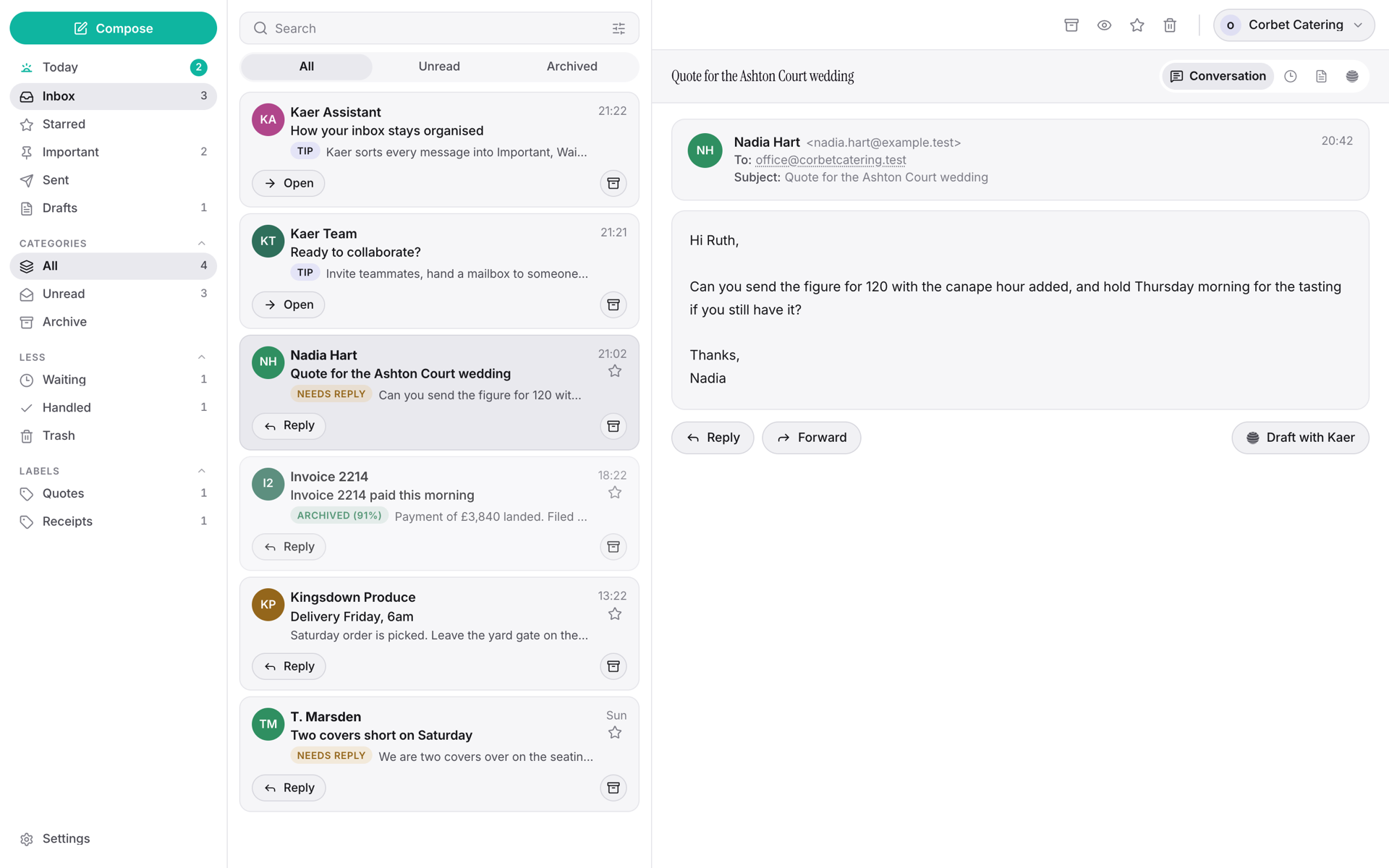
The Kaer mail inbox: folders, a triaged message list and a drafted reply held for approval
Your inbox, your rules

From arrival to answer.

Take a Kaer mailbox or bring your own over IMAP. From there the same four things happen to every message, in your rules and in your tone.

  1. It lands in one place

    Kaer mailbox or your existing one over IMAP, on your own domain. One inbox, organised the way you think — custom views, labels and rules the agent maintains for you.

  2. It is sorted and summarised

    Filed, flagged and summarised behind confidence gates: the mail that matters surfaces, the noise files itself, and nothing is deleted on your behalf.

  3. A reply is drafted in your tone

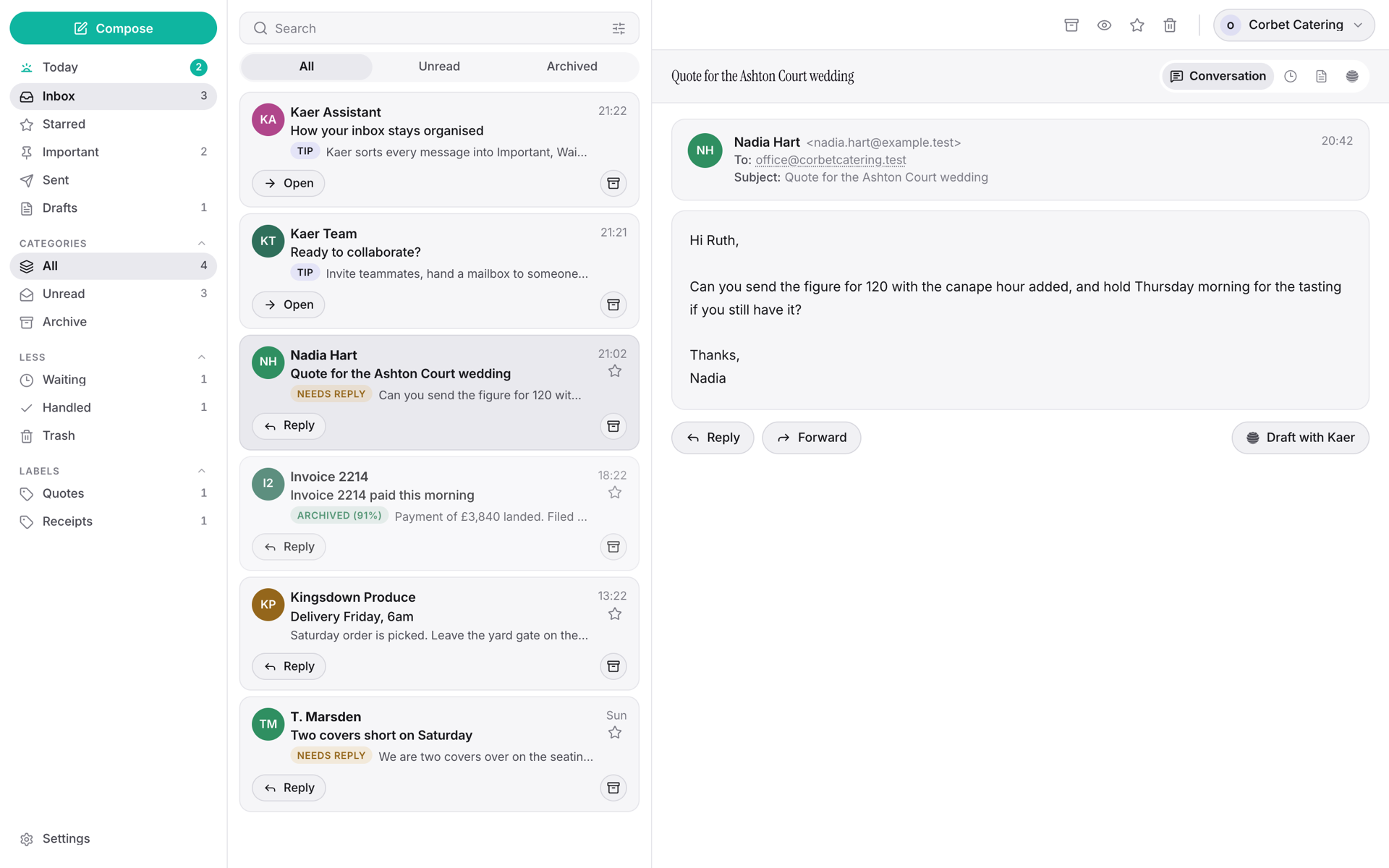
    Written from your past threads and your price list, with the actual question answered rather than acknowledged. It reads like you because it learned from you.

  4. It waits for you

    Nothing sends without your approval. You stay the sender on every message that leaves the building.
Mail — Thread
A mail thread with the agent's drafted reply waiting on approval
Beyond the inbox

From email to automation.

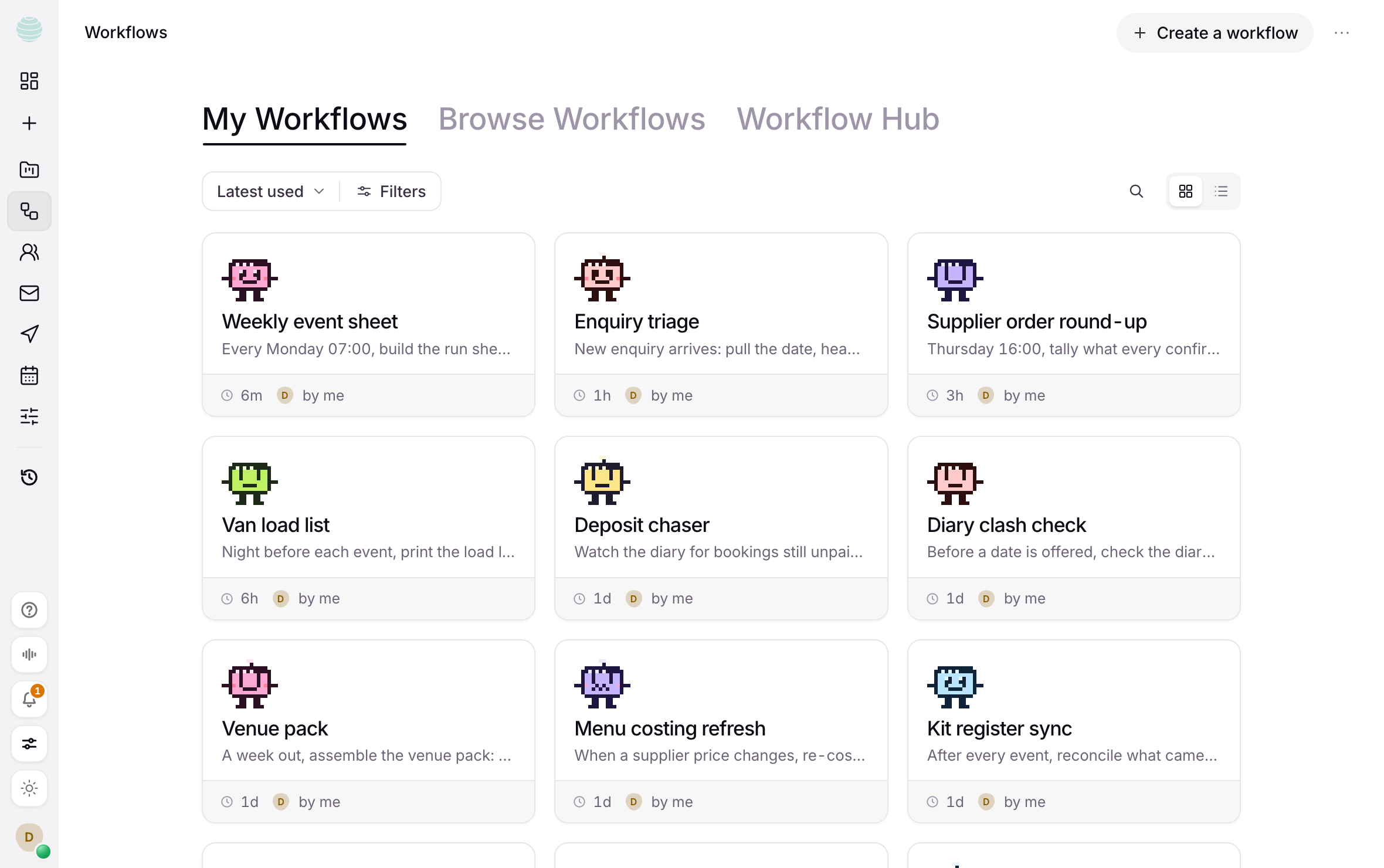
Ask the agent to build workflows off your mail: renewal alerts on your task board, weekly digests on a schedule, follow-ups booked into the diary. Email becomes a trigger, not a chore.
Built from a plain requestScheduled digestsFollow-ups booked for you
Workflows — My workflows
The workflows board: saved company processes as cards, each with its schedule

Mail, answered.

Which mailboxes are supported?
Two ways in: take a mailbox hosted by Kaer, or connect one you already have over IMAP. Either can run on your own domain — if it sits on Cloudflare, Kaer sets the email routing up for you.
Does Kaer send email on its own?
No. Replies are drafted and held for your approval. Automations you build can send on schedule, but only after you enable them explicitly.
How is my mail priced?
Mail is a per-mailbox monthly subscription with three self-serve plans: Starter ($1.99/mo — 25 GB, 1,000 requests, no AI credits), Standard ($4.99/mo — 40 GB, 2,000 requests, 100 AI credits) and Plus ($11.99/mo — 50 GB, 5,000 requests, 200 AI credits). Need more? Mail Enterprise is custom — contact us.
What counts as a request?
One request is one email sent or one email received, per mailbox, per calendar month. Reading, filing and searching never count. If you use up your allowance, sending pauses — or you can turn on pay-per-usage in Mail settings to keep sending for $0.50 per 100 extra requests. Incoming mail never stops either way.
What are AI credits?
AI credits power the automatic work: triage, summaries and drafted replies. Starter includes none (the mailbox still sends and receives normally); Standard includes 100 a month and Plus includes 200. If you run out, drafting continues from your prepaid balance.

Inbox zero, on schedule.

Connect a mailbox in minutes — triage starts immediately.

A pigeonhole sorting shelf with cards filed into its cubbies and one sliding out
Fig. 05 · Sorting shelf