
 Gmail
Gmail Calendar
 Drive
Drive Sheets
 Docs
Docs Meet
Meet Slack
Slack Zoom
Zoom Dropbox
 PayPal
 Square
 QuickBooks
 Xero
Xero Shopify
 HubSpot
 Salesforce
 Mailchimp
 Intercom
 Zendesk
 Calendly
 Trello
 Asana
Asana Airtable
 Zapier
 Canva
Canva WordPress
 Squarespace
 GitHub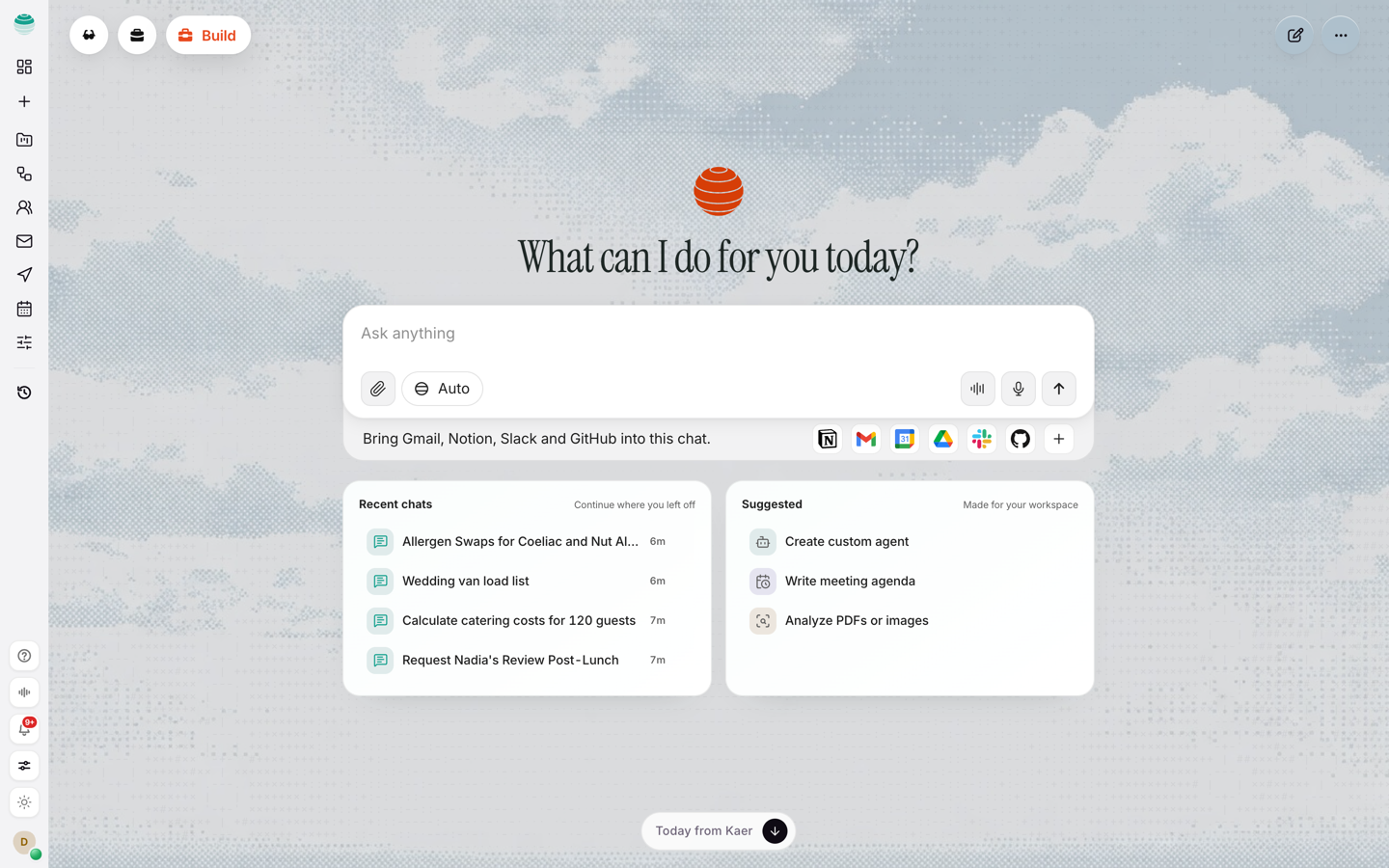









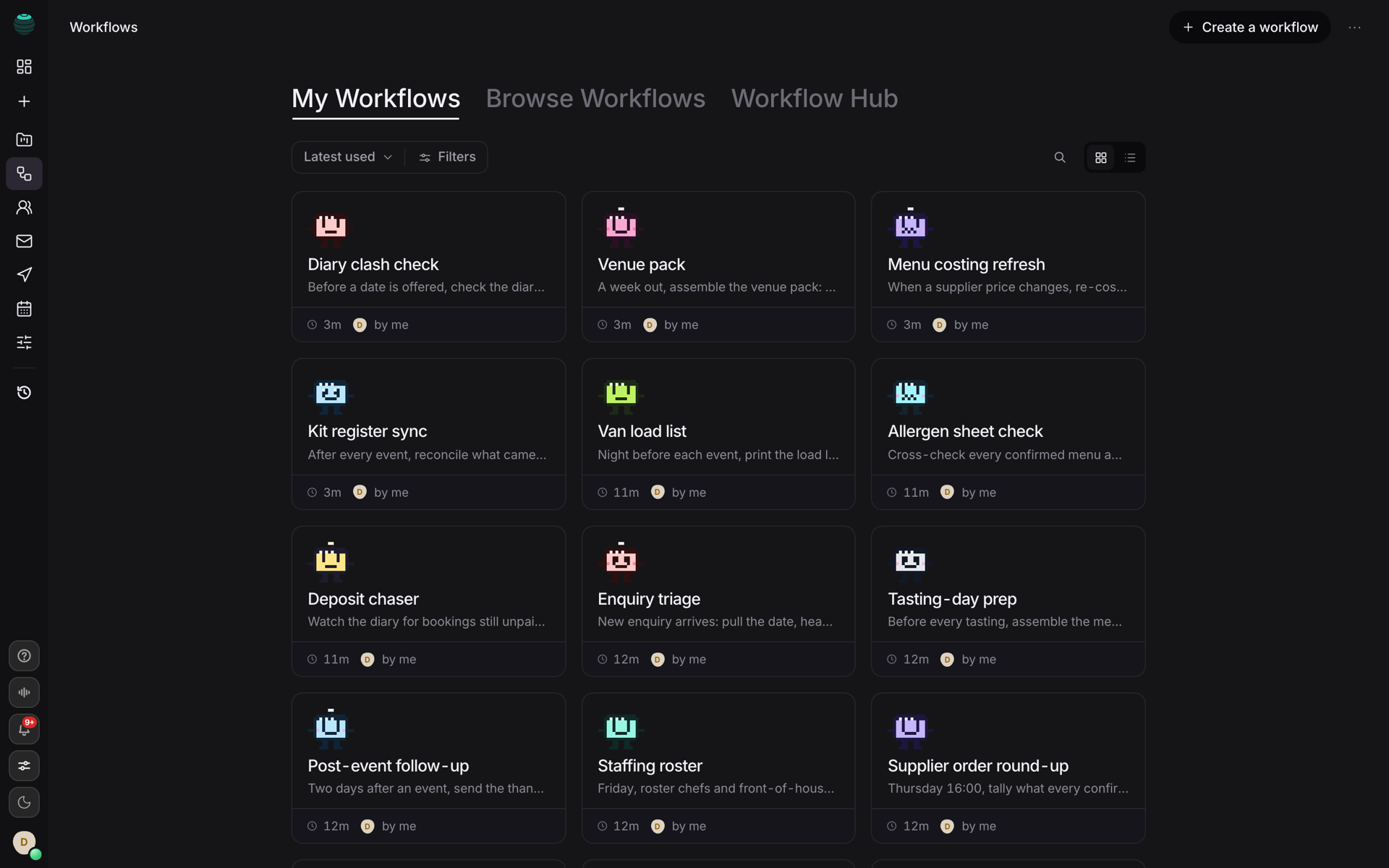
Runs on schedule
Recurring company processes
Invoicing runs, supplier chasing, payroll prep, the Monday report: the routine work that keeps the business running, done on time whether or not anyone remembers.
Supplier portals, booking systems, the back-office tool nobody can export from. Kaer works them in its own sandboxed browser, builds the missing tool when there isn’t one, and stops for your approval before anything consequential.
Runs, compared to last month
Monthly run target
inbox · always on
Working
Running now, compared to yesterday
Approvals cleared
Works in the tools you already run
Ask, build, automate, query, mail — seven surfaces and one operator for the work in tools that have no API, with one shared picture of the business.
 OperatorAsk once and get an answer with its sources attached — then the next step it would take, waiting on your word.Get answers
 ComputerA real browser, shell and editor of its own.See it build
 Search APIThe index your agents query. Ranked, cited, priced per thousand.Read the API
 WorkflowsThe weekly routine, on a schedule.See workflows
 MailAn inbox that clears itself. Routine answered, the rest drafted for you to approve.See Kaer Mail
 BuilderDescribe the spreadsheet you outgrew. Get a working internal tool, or a pull request if you have engineers.Software builder
 ContextYour prices, policies, suppliers and past jobs. Every job runs from the same picture.View use cases
Kaer is not a shelf of bots. The same agent reads your mail, runs your workflows, operates your software and builds the missing tool, all from one shared context.
Delegate · one prompt starts the job
One prompt, no agent to build: Kaer plans the job, picks the tools and reports back when it is done or when it needs you.
Kaer home: the prompt that starts any job, with recent chats and suggestions
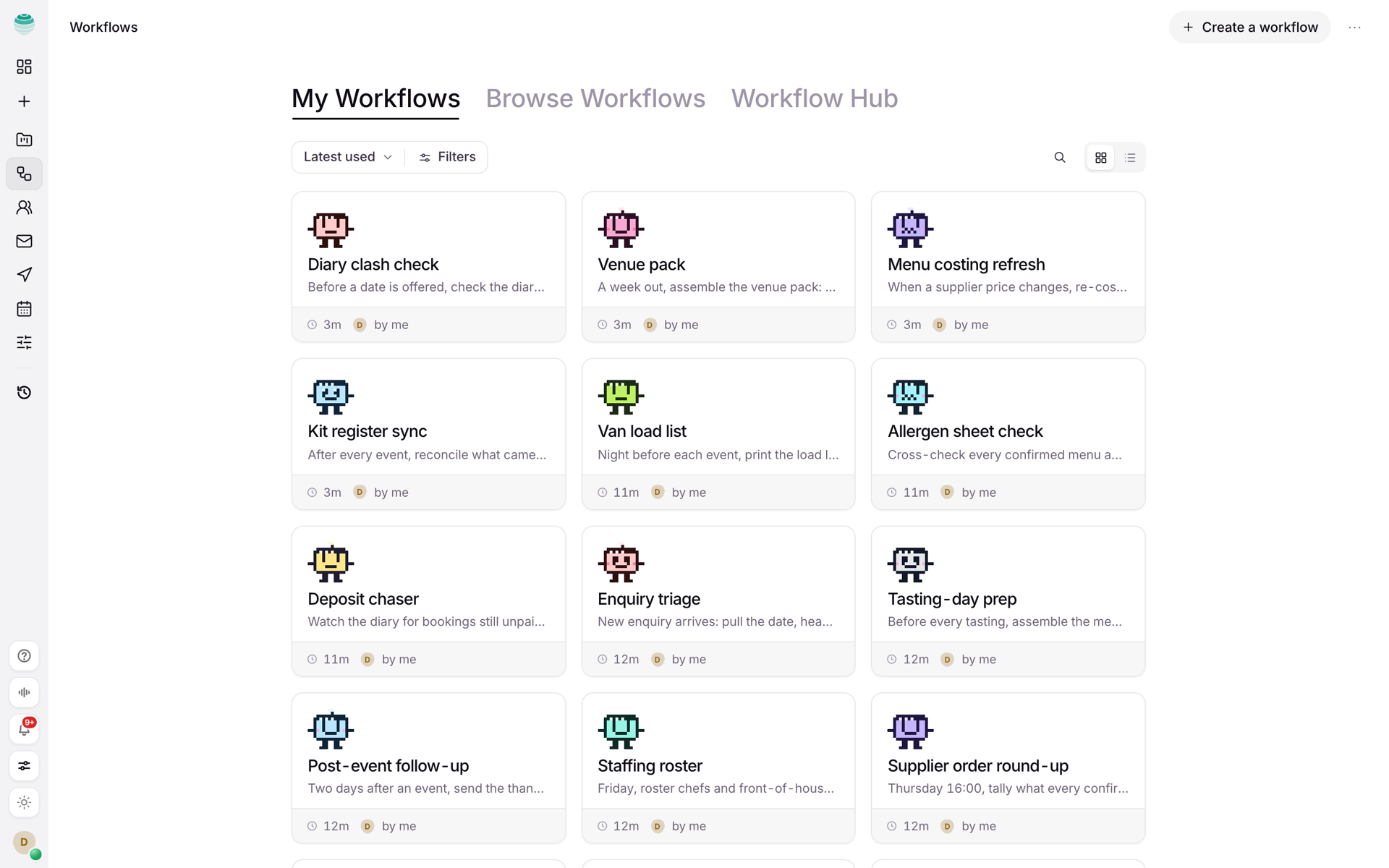
Weekday mail digests, invoice chasing, the Monday report. Built by describing them, run whether or not anyone remembers.
Kaer Workflows: a grid of workflow cards, each owned by an AI employee
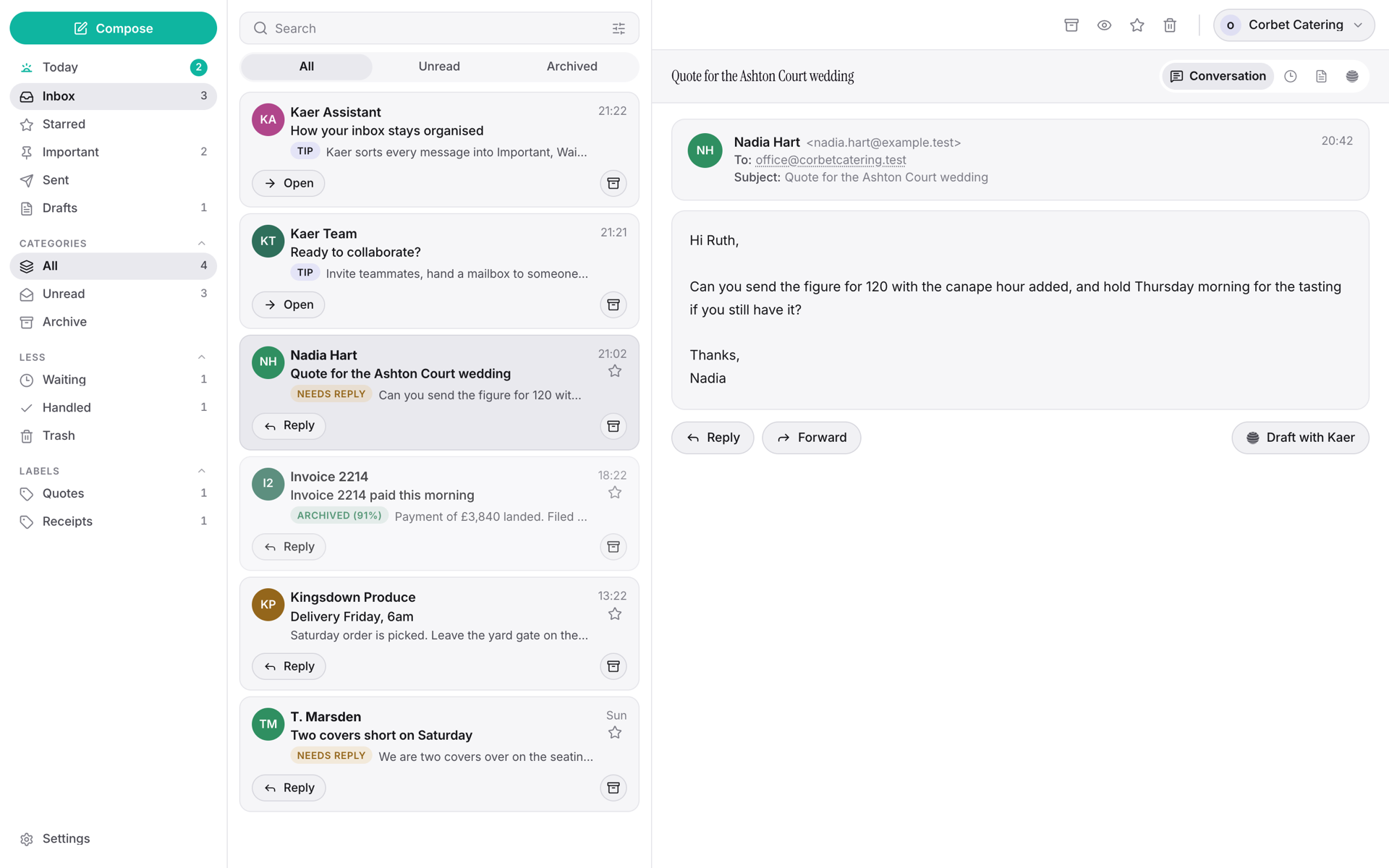
Kaer sorts what arrives, answers the routine and drafts the rest for you to approve before anything is sent.
Kaer Mail inbox with triaged threads and one-tap reply drafts
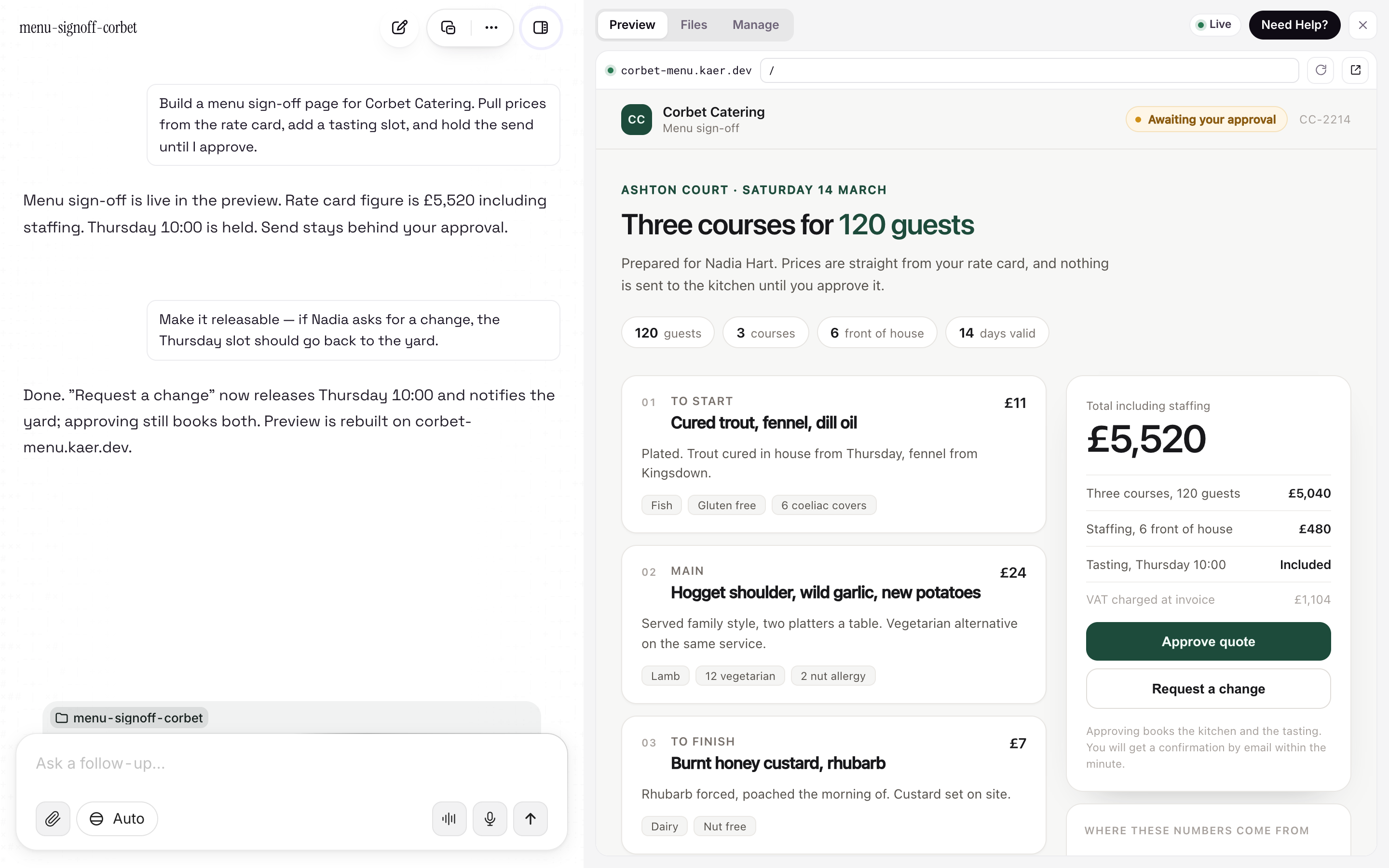
Kaer writes the app on a computer of its own, installs it, runs it and puts a preview on a link you can open. This one is a menu sign-off: the prices come off the rate card and nothing reaches the kitchen until it is approved.
Kaer Computer with the Corbet Catering menu sign-off it built running in the preview pane on corbet-menu.kaer.dev
Your prices, policies, suppliers and past jobs in one place. Every job runs from the same picture, so nobody quotes the wrong number twice.
Kaer context: a business's rate card, suppliers, quote rules and past jobs
The same agent talks to customers, runs the software you already pay for, keeps the weekly routine and builds what is missing. One shared context, so nobody quotes the wrong number twice.

Email, replies and follow-ups in your tone: sorted, answered where routine, drafted for approval where not.
Kaer Mail
Its own browser and desktop for the web apps your team already uses, including the ones with no API.
Kaer Computer
Recurring processes on a schedule or on a trigger. Approve once, then it runs, with a record of every step.
Workflows
Describe the spreadsheet you have outgrown and get a working internal tool the same day, or a pull request if you have engineers.
Software builderSix AI employees, each hired for one part of the business. They work nights, weekends and the week you are away, and every one of them stops for your approval before anything consequential.
Works the inbox all day and all night: sorts what arrives, answers the routine, drafts the rest for you to approve.
Meet Mailcalendar · bookingsKeeps the calendar full: offers the times, confirms the ones that stick, sends the reminders, chases the no-shows.
Meet Diarypipeline · quotesWatches every enquiry, quote and job from first call to paid invoice, and chases the step that would otherwise slip.
Meet Jobscontext · your fileHolds your prices, policies, suppliers and past jobs, and briefs the others before any of them answers a customer.
Meet Memorysoftware · internal toolsTurns the spreadsheet you have outgrown into a working internal tool the same day, then keeps it running.
Meet Builderworkflows · schedulesRuns the invoicing, the stock check and the Monday report on schedule, whether or not anyone remembers to ask.
Meet RoutineInvoicing runs, supplier chasing, payroll prep, the Monday report: the routine work that keeps the business running, done on time whether or not anyone remembers.
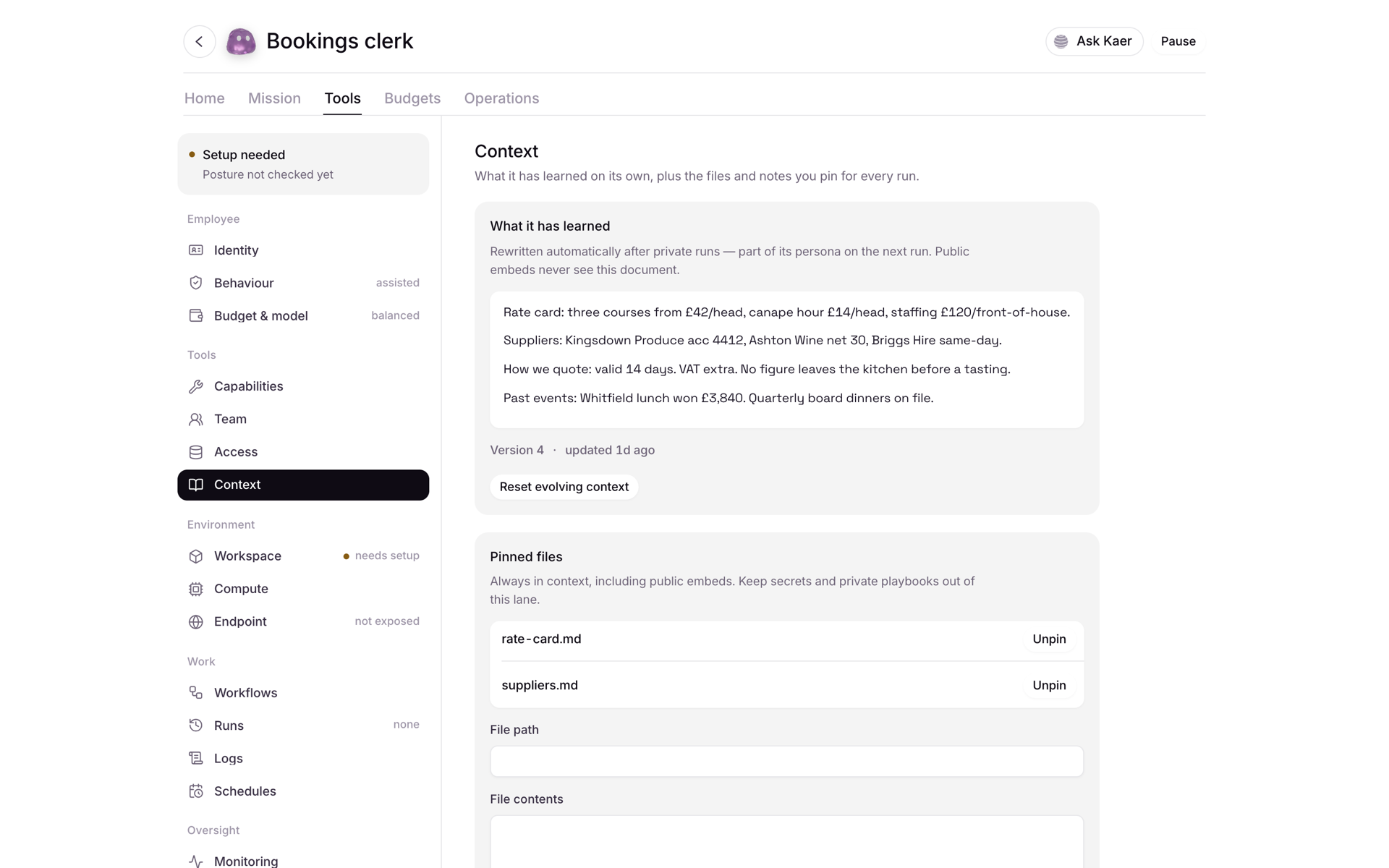
Prices, policies, suppliers, past jobs and email history, held once. Mail, Diary and Jobs all answer from it, so the business speaks with one voice.
The booking form, the customer portal, the tool you have outgrown a spreadsheet for. Built the way an engineer would, and stopped where an engineer would ask.
Approvals, a full trail, your own tools, your own limits. The operator runs the work end to end and still stops at the line you drew.

Email from Kaer Mail or Gmail, Slack messages, social posts and payments wait for you by default. One tap, on any device, and the job carries on.

Every step, tool call and message is logged, so you can see exactly what each employee did and why.

Each employee gets the connectors its job needs and nothing more. Revoke any of them in one click.

Spend caps, working hours and the jobs an employee may take on. It stops at the ceiling instead of asking forgiveness.
Three things decide what you pay: what your employees did, the ceiling you set, and nothing else.

Credits meter what your AI employees actually do: mail answered, workflows run, tools called, software built.

Monthly or yearly, at the ceiling you choose. A yearly plan is invoiced for ten and a half months and delivers twelve.

No per-seat pricing. Up to 3 invited people share each workspace on Core, Pro and Max, so the bill follows the work rather than the headcount.
Priced for every stage, from trying it on one job to running the company on it. Start free and move up when the work does.
Cancel any time.
For more seats, custom roles and shared projects.
Custom
Prices are in US dollars. The price shown is what you pay: no VAT or other fees are added at checkout.
Start free, no card required. Hand over one job and watch it get done, with your approval at every line that matters.